
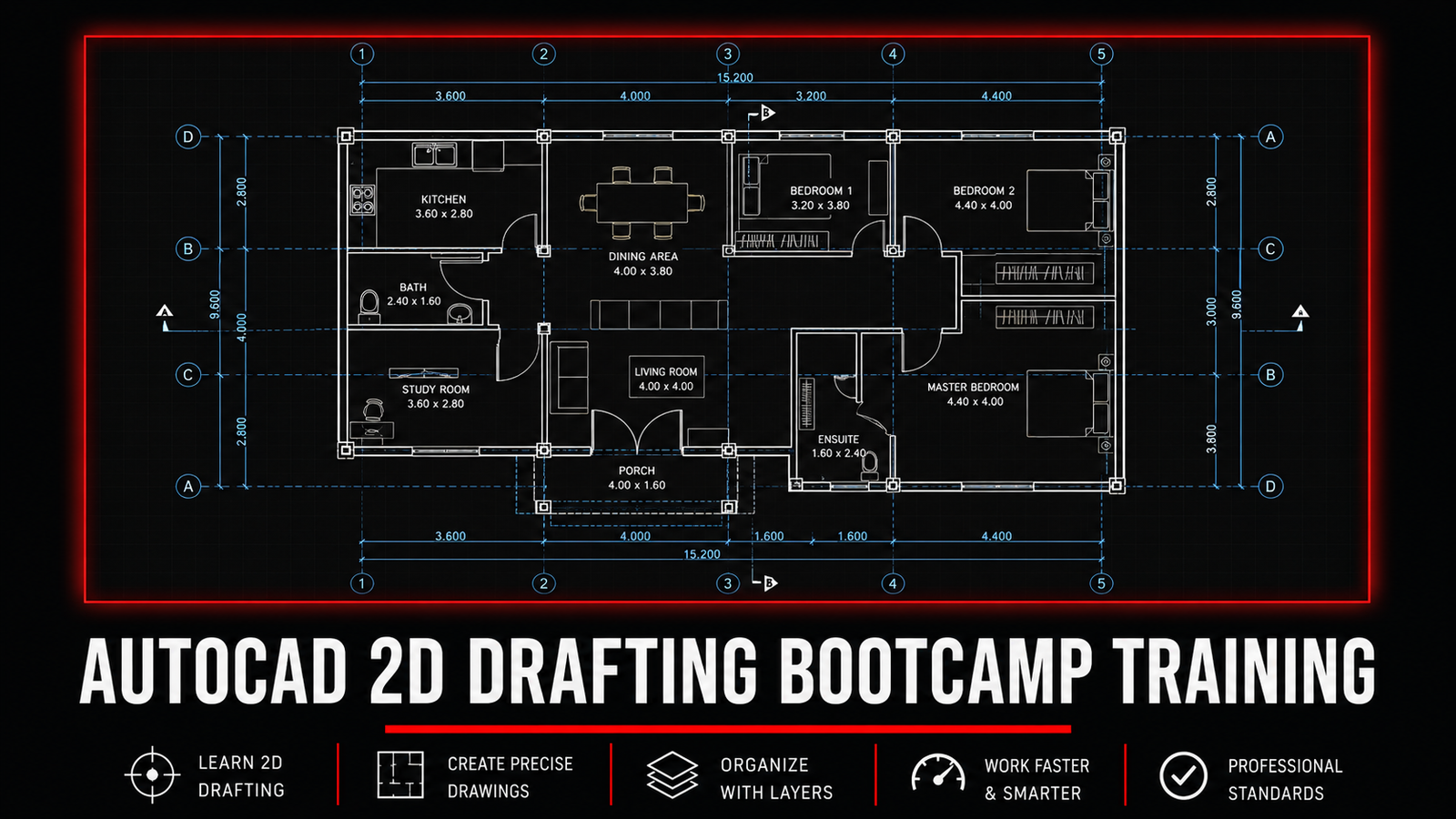
AUTOCAD 2D DRAFTING BOOTCAMP TRAINING
About Course
The AutoCAD 2D Drafting Bootcamp is a practical, beginner-friendly training program designed to equip learners with solid drafting skills used in real engineering and construction projects.
This course takes you step by step from the fundamentals of AutoCAD to creating complete, well-organized 2D drawings. You’ll start by understanding the AutoCAD interface and workspace setup, then progress through essential tools and commands, proper drawing techniques, layering, dimensioning, hatching, and annotation.
By the end of the bootcamp, you will be able to confidently draft professional 2D floor plans, sections, and elevations using correct workflows followed in industry—not just isolated commands.
The training is delivered through structured, pre-recorded lessons, allowing you to learn at your own pace while practicing alongside guided assignments. Continuous support and mentorship are provided through the learning community to ensure you stay on track and gain real confidence in using AutoCAD.
This bootcamp is ideal for beginners, students, graduate engineers, technicians, and professionals from related engineering fields looking to build or strengthen their AutoCAD drafting skills.
What Will You Learn?
- This AutoCAD 2D Drafting Bootcamp is a structured, practical training designed to take learners from zero experience to confidently producing professional 2D construction drawings.
- Throughout the course, you will develop a strong foundation in AutoCAD, learn industry-standard drafting workflows, and gain hands-on experience creating real-world drawings used in engineering and construction projects.
- By the end of this course, you will be able to:
- • Confidently navigate the AutoCAD user interface and workspace
- • Set up drawings correctly using units, limits, precision tools, and drafting settings
- • Create accurate lines, polylines, circles, arcs, and rectangles
- • Use essential modify tools such as move, copy, rotate, mirror, trim, offset, fillet, and extend
- • Apply object snaps, polar tracking, ortho mode, and dynamic input for precise drafting
- • Organize drawings using layers, colors, line types, and line weights
- • Create and manage reusable blocks for efficient drafting
- • Apply proper dimensioning styles and annotations according to drafting standards
- • Draw and annotate a complete 2D floor plan including walls, doors, windows, vents, room names, and dimensions
- • Create clear and professional sections and elevations from a floor plan
- • Maintain clean, well-organized drawings that follow practical drafting workflows
- The training is fully practical and project-based, with quizzes and hands-on assignments after each module to reinforce learning. All sessions are pre-recorded, allowing you to learn at your own pace, revisit lessons anytime, and practice without pressure.
- By the end of the bootcamp, you will have the skills and confidence to open AutoCAD and produce clean, accurate, and professional 2D drawings suitable for academic work, site use, and entry-level professional practice.
Course Content
Module 1 : Introduction.
This module serves as your starting point in the AutoCAD 2D Drafting Bootcamp. It is designed to help you clearly understand what the training is about, how it is structured, and how to get the best value from the course.
In this module, you will be introduced to the bootcamp objectives, the learning roadmap, and the expected outcomes by the end of the training. You’ll also learn how the lessons are delivered, how assignments will be handled, and how to effectively use the participants’ support group for guidance and clarification.
This module also sets the foundation for learning by aligning expectations—especially for beginners—so you can approach the course with confidence, consistency, and the right mindset.
By the end of this module, you will be fully oriented, prepared, and ready to begin your AutoCAD learning journey with a clear understanding of what lies ahead and how to succeed in the bootcamp.
-
Welcome To the AutoCad Bootcamp
02:32 -
AUTOCAD SHORTCUT COMMANDS FOR BEGINNERS
-
Lesson Files
Module 1: AutoCad Basics.
This module introduces the core foundations of AutoCAD 2D drafting. You’ll learn how to navigate the AutoCAD interface, understand the workspace, and use essential tools and commands correctly. By the end of this module, you’ll be comfortable setting up your environment and ready to start drafting with confidence.
-
Autocad Interface
07:23 -
Making Lines
02:06 -
Navigation Tools
02:00 -
Selection Set
03:36 -
Setting Units
02:17 -
Making Precise Lines
04:17 -
Polar Tracking
03:19 -
Ortho Mode
01:40 -
Dynamic Input
03:25 -
MODULE 1 QUIZ
-
PRACTICAL ASSIGNMENT
-
Chapter Summary
Module 2 : Basic Draw and Modify Commands.
In this module, we take your AutoCAD skills to the next level by focusing on the core drawing and modification commands. You will learn how to create precise 2D shapes and objects, manipulate them efficiently, and start building the foundation for real-world drafting. By the end of this module, you will be able to:
Draw essential geometric shapes like lines, rectangles, circles, and polygons accurately.
Use modification tools such as move, copy, mirror, offset, trim, and extend to edit drawings with precision.
Apply layer management and object properties to organize and standardize your drawings.
Develop a faster, more efficient workflow in AutoCAD that sets the stage for advanced drafting tasks.
This module is hands-on and practical, ensuring you gain confidence in using AutoCAD commands to create and modify drawings like a pro.
-
Lesson Files
-
Making Polylines.
02:11 -
Making Circles.
01:37 -
Making Arcs.
02:23 -
Making Rectangles.
02:04 -
Move Tool
02:03 -
Copy Command
02:14 -
Rotate Command.
02:19 -
Mirror Command
03:39 -
Making Fillets
01:55 -
Trim Command
02:23 -
Offset Command
03:37 -
Using Object Snap
05:48 -
2D Practice Drawing.
11:01 -
MODULE 2 QUIZ
-
PRACTICAL ASSIGNMENT
-
Chapter Summary
MODULE 3: DIMENSIONS LAYERS AND BLOCKS
This module focuses on organizing, annotating, and standardizing 2D drawings to professional drafting standards. It covers the creation and management of layers for proper drawing control, the correct application of dimensions for clear communication of sizes, and the use of blocks to improve efficiency and consistency in drawings. By the end of this module, drawings will be well-structured, easy to read, and aligned with industry best practices for professional AutoCAD documentation.
-
Adding Dimensions
06:43 -
Setting up Layers
03:50 -
Setting Up Blocks
07:49 -
Printing and Plotting Drawings
03:15 -
MODULE 3 QUIZ
-
PRACTICAL ASSIGNMENT
-
Chapter Summary
MODULE 4: DRAWING A SIMPLE FLOOR LAYOUT
This module focuses on translating basic drafting skills into a complete and organized 2D floor layout drawing. It covers the structured creation of a plan layout, accurate placement of doors, windows, vents, and steps, and the correct use of blocks for repeated elements. The module also introduces room naming, annotations, dimensioning, and the application of cross-section lines to communicate building details clearly. By the end of this module, a clean, readable, and properly dimensioned floor plan will be produced, reflecting standard drafting practices used in architectural and engineering drawings.
-
Lesson Files
-
Drawing The Wall Layout of The Floor Plan
28:45 -
Placing Windows in The Floor Plan
08:57 -
Placing Vents & Doors in The Floor Plan
09:44 -
Placing Steps & Other Details in The Floor Plan
13:12 -
Placing Blocks in The Floor Plan
26:55 -
Naming Rooms (Annotations) in The Floor Plan
08:46 -
Dimensioning the Floor Plan
11:57 -
QUIZ
-
PRACTICAL ASSIGNMENT
-
Chapter Summary
MODULE 5 : DRAWING THE ELEVATION PLAN
-
LESSON FILES
-
Setting up the Construction Lines in The Elevation Plan
06:13 -
Drawing Plinth Level & Walls in The Elevation Plan
04:27 -
Drawing Doors & Steps in The Elevation Plan
03:41 -
Drawing the Windows in The Elevation Plan
08:20 -
Hatching Sections in The Elevation Plan
04:41 -
QUIZ
-
PRACTICAL ASSIGNMENT
-
Chapter Summary
MODULE 6: DRAWING THE SECTION PLAN
-
Lesson Files
-
Drawing Walls & Foundations Walls The Section Plan Layout
18:19 -
Placing Doors & Windows in The Section Plan Layout
11:45 -
Hatching The Section Plan Layout
17:41 -
Dimensioning The Section Plan Layout
05:43 -
Annotating the Section Plan Layout
09:13 -
QUIZ
-
PRACTICAL ASSIGNMENT
-
Chapter Summary
REVIEW & FEEDBACK
-
FEEDBACK FORM
CERTIFICATE OF COMPLETION
-
Certificate of Completion