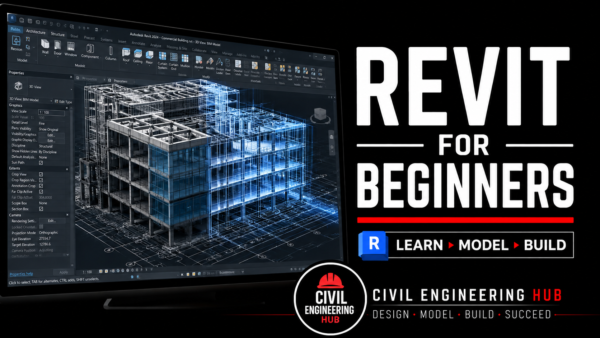
Revit Architecture Bootcamp Training
Master Autodesk Revit Architecture from Beginner Level to Practical Project Application
The Revit Architecture Bootcamp is a comprehensive, beginner-friendly online training program designed to help students and professionals master Autodesk Revit Architecture and understand how modern architectural projects are developed using Building Information Modeling (BIM) workflows.
This training is ideal for individuals who want to move beyond traditional 2D drafting and gain practical, in-demand BIM skills used in today’s architecture, engineering, and construction industry.
Whether you are completely new to Revit or looking to build a stronger practical foundation, this course takes you through a structured step-by-step learning path from the basics of BIM to creating and documenting architectural building models professionally.
Unlike theory-heavy learning, this bootcamp is highly practical, focused on real workflow application, guided exercises, and hands-on assignments that help you build confidence through actual practice.
Who This Course Is For
This course is ideal for:
• Architecture students
• Civil Engineering students
• Structural Engineering students
• Construction and Building Technology students
• Fresh graduates entering the construction industry
• Site engineers and technical professionals looking to upskill
• CAD users transitioning into BIM workflows
• Anyone interested in learning Autodesk Revit Architecture from scratch
No prior Revit experience is required.
Basic computer knowledge is enough to get started.
What You Will Learn
By the end of this training, you will have learned:
BIM Fundamentals
Understand the principles of Building Information Modeling and how Revit is used in modern project delivery.
Topics include:
• Introduction to BIM
• BIM vs traditional CAD workflows
• Revit workflow fundamentals
• Project-based digital coordination principles
Revit Interface & Navigation
Build confidence in navigating the software environment.
Topics include:
• Revit interface overview
• Project browser
• Properties palette
• Navigation tools
• View control systems
• Workspace management
Project Setup & Organization
Learn how to properly begin a professional Revit project.
Topics include:
• Project creation
• Templates
• Levels
• Grids
• Project settings
• View organization
• Project structure management
Architectural Modeling
Learn practical architectural building modeling.
Topics include:
• Walls
• Floors
• Doors
• Windows
• Roofs
• Ceilings
• Curtain walls
• Stair creation
• Architectural component placement
• Basic model editing tools
Drawing Production & Documentation
Learn how to transform your model into professional construction documentation.
Topics include:
• Floor plans
• Elevations
• Sections
• 3D views
• Sheets
• Annotation tools
• Dimensions
• Tags
• Text notes
• Basic detailing
Schedules & Project Information
Learn how Revit automates project data extraction.
Topics include:
• Room schedules
• Door schedules
• Window schedules
• Basic quantity reporting
• Project information management
Practical Application
Apply everything learned through guided practice.
Includes:
• Practical assignments
• Module quizzes
• Real workflow exercises
• Project-based tasks
Training Structure
This is a fully online self-paced bootcamp delivered through our official Learning Management System (LMS).
How it works:
• Training modules are released in a structured sequence
• Lessons are delivered as pre-recorded video tutorials
• Participants learn at their own convenience
• Practical assignments reinforce understanding
• Theory quizzes test comprehension
• Weekly live Q&A support sessions are provided
• Participants join a support community for guidance
This learning model is ideal for students, working professionals, and busy learners.
Course Duration
Estimated completion time: 4–5 weeks
However, because the training is self-paced, learners can progress based on their own availability and schedule.
You also retain access to the course materials after enrollment.
What Is Included
When you enroll, you receive:
• Full access to all course modules
• Step-by-step pre-recorded lessons
• Practical assignments
• Theory quizzes
• Weekly live support/Q&A sessions
• Accountability support system
• Access to participant support group
• Continued access to course content
• Certificate of Completion upon successful completion
Certification
Participants who complete:
• All learning modules
• All quizzes
• All required practical assignments
Will receive a Certificate of Completion.
Software Requirements
This training uses Autodesk Revit Architecture.
Recommended laptop requirements:
• RAM: 8GB minimum
• 16GB RAM recommended
• SSD storage: 256GB minimum
• Stable internet connection
• Windows-compatible laptop
Revit installation support is provided.
Why Learn Revit?
Revit is one of the most in-demand BIM tools in the architecture, engineering, and construction industry.
Learning Revit helps you:
• Improve your employability
• Transition from CAD to BIM
• Work on modern construction workflows
• Improve design coordination skills
• Build practical architectural modeling competence
• Prepare for advanced BIM and structural software tools
Outcome
By the end of this bootcamp, you will be able to confidently:
✔ Set up a Revit project professionally
✔ Model architectural building elements
✔ Produce professional architectural documentation
✔ Understand BIM workflows
✔ Work with confidence in Autodesk Revit Architecture
Reviews
There are no reviews yet.